Blueprint
Visualize the dimensions of any composable on the screen for debugging layout issues.
View on GitHubDocumentation
📐 Blueprint



Visualize the dimensions of your composables on a blueprint
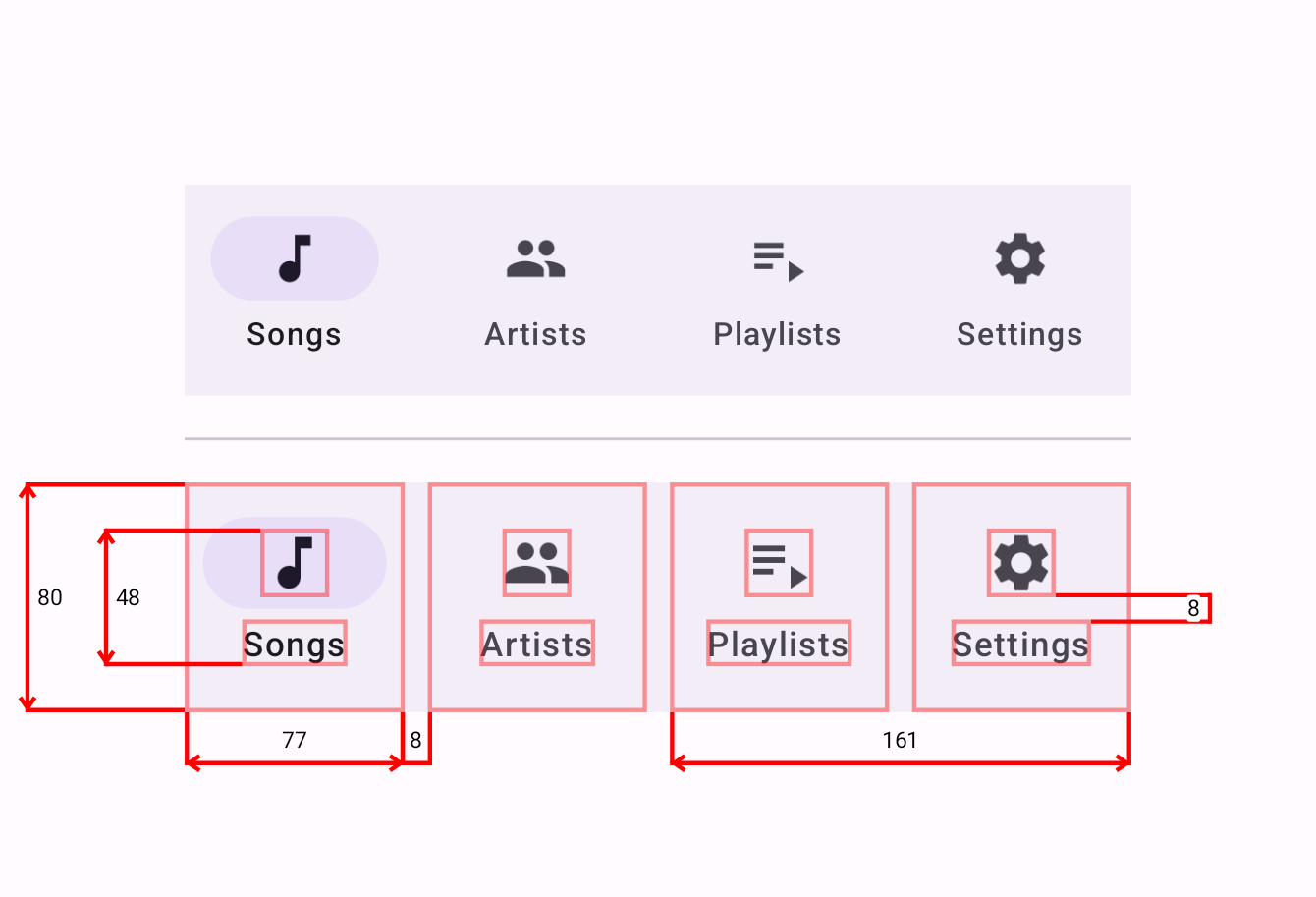
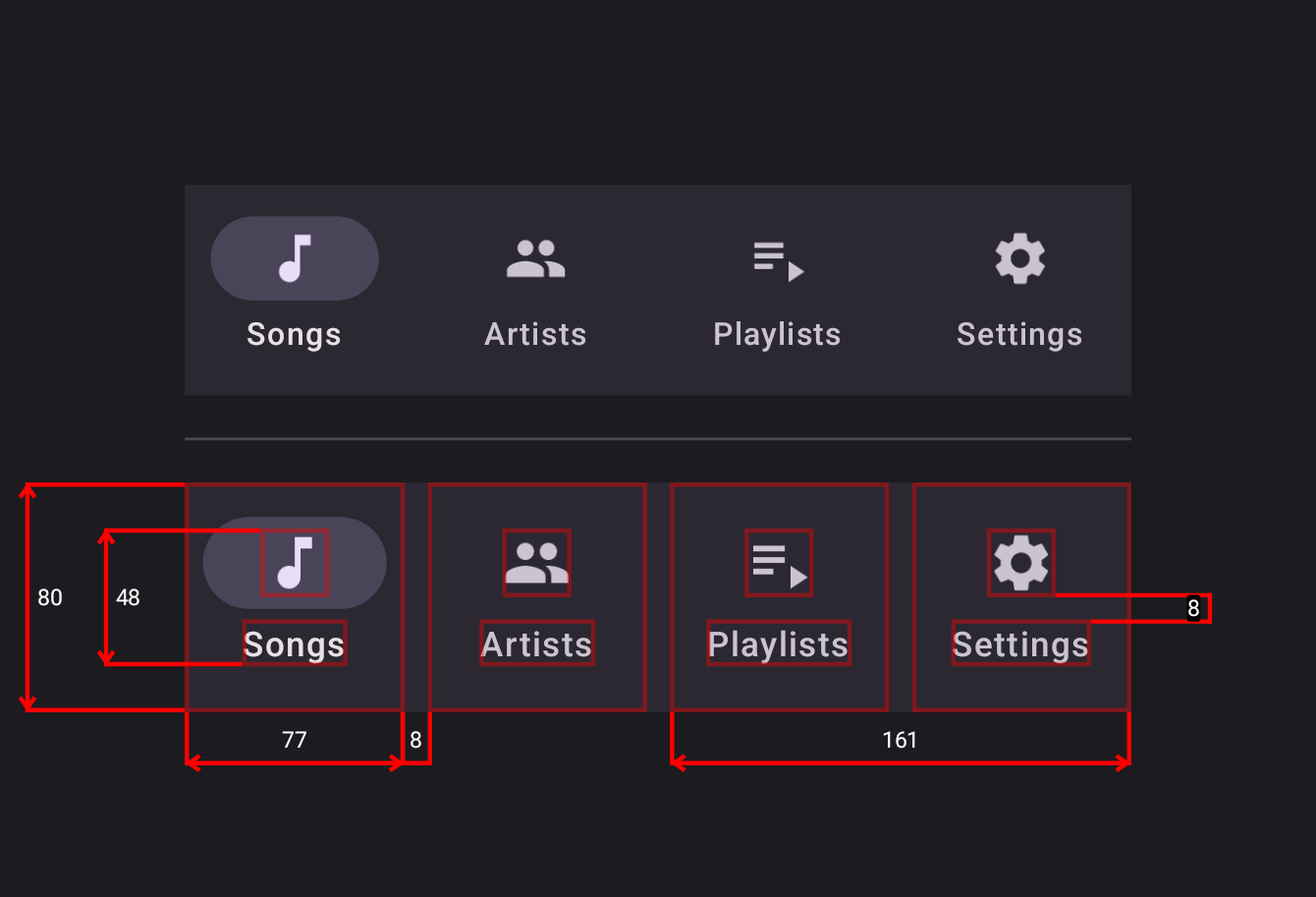
The Problem
Have you ever desired to see, what exactly is that padding's value while looking at the composable
preview window? Especially when you are developing a button with 5 color styles, 3 sizes, and 2
optional icons; and each combination of these parameters has different paddings?
Combinatorial explosion of UI components in design systems requires having a lot of context about
paddings, dp's, sizes, corner radiuses, and other dimensional information in your head at the
same time.
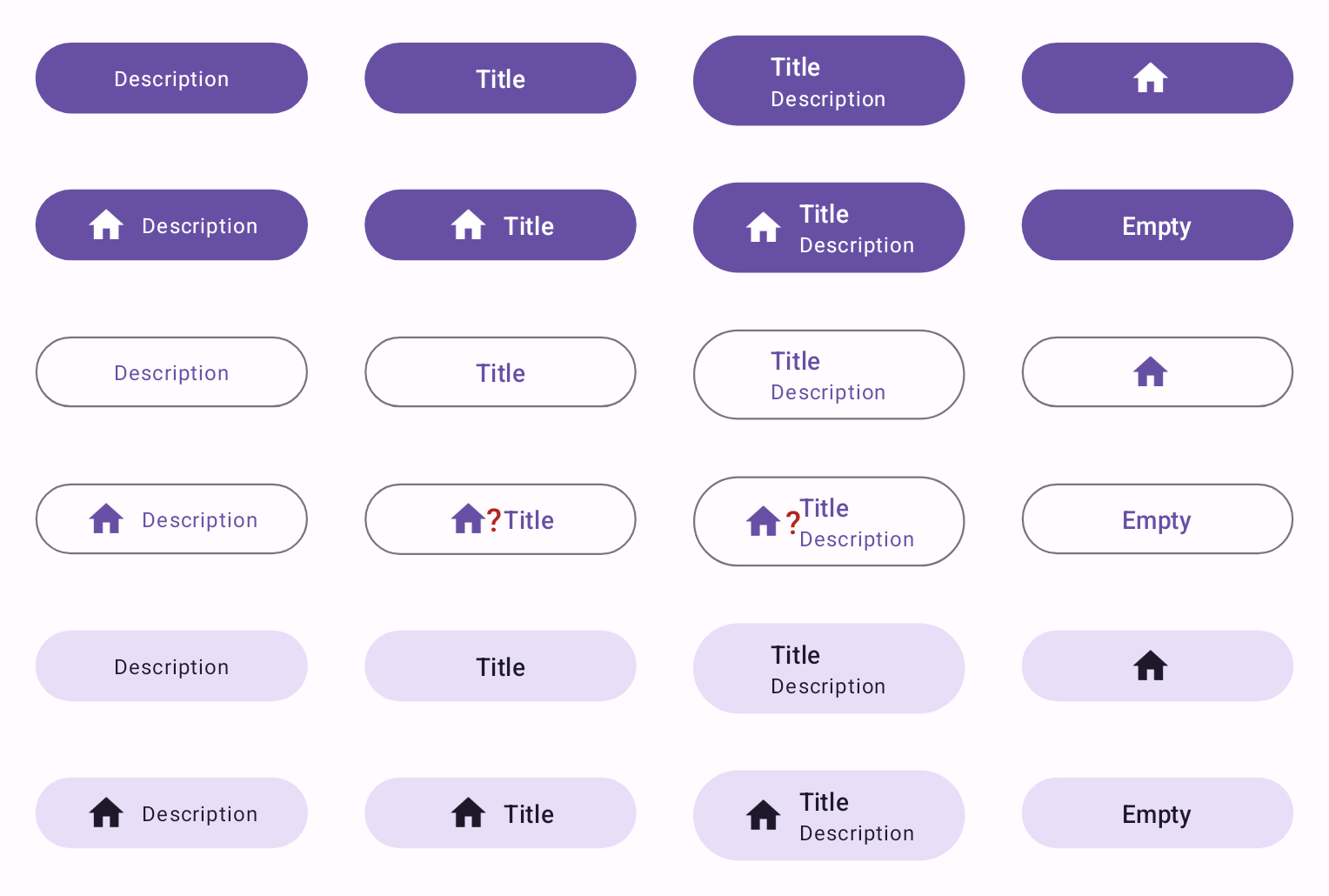
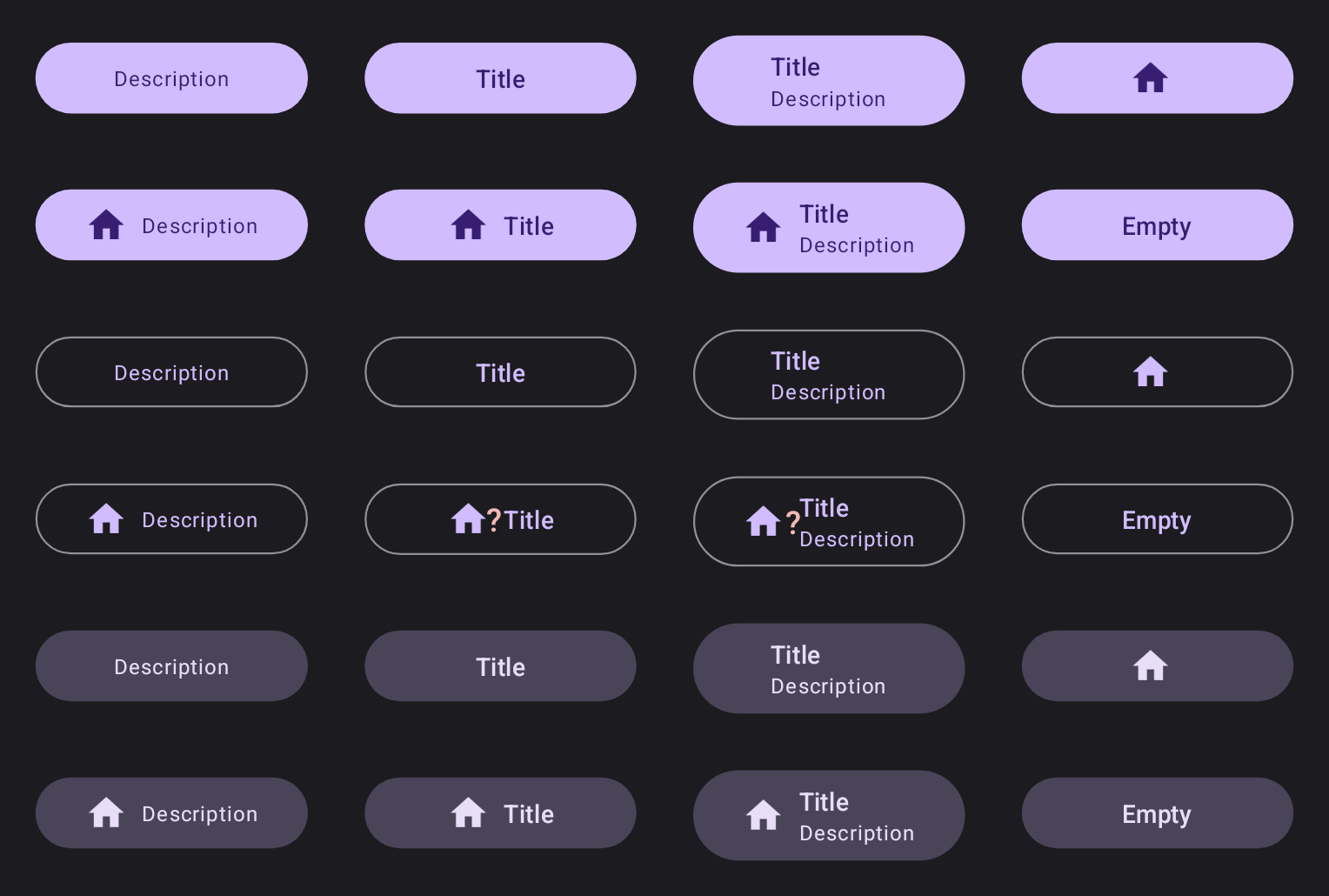
In addition, code to produce those combinations can get tricky to analyze. So, verification also
becomes hard: you make screenshots, move them to Figma, overlay them on top, and try to see the
difference. Tedious 😩!
The Solution
The Blueprint library provides a way to visualize dimensional information in your UI using a simple
DSL-based definition:
- Just wrap your target UI in a
Blueprintcomposable - Mark children
withModifier.blueprintId(id: String)
modifier - Write the blueprint definition
Blueprint(
    blueprintBuilder = {
        widths {
            group {
                "item0".right lineTo "item1".left
                "item0" lineTo "item0"
                "item2" lineTo "item3"
            }
        }
        heights {
            group { "item0Icon" lineTo "item0Text" }
            group { "item0" lineTo "item0" }
            group(End) { "item3Icon".bottom lineTo "item3Text".top }
        }
    }
) {
    val items = remember { listOf("Songs", "Artists", "Playlists", "Settings") }
    NavigationBar {
        items.forEachIndexed { index, item ->
            NavigationBarItem(
                modifier = Modifier.blueprintId("item$index"),
                icon = { Icon(Modifier.blueprintId("item${index}Icon"), TODO()) },
                label = { Text(Modifier.blueprintId("item${index}Text"), TODO()) },
                selected = index == 0,
                onClick = { TODO() }
            )
        }
    }
}
Preview
And another example:
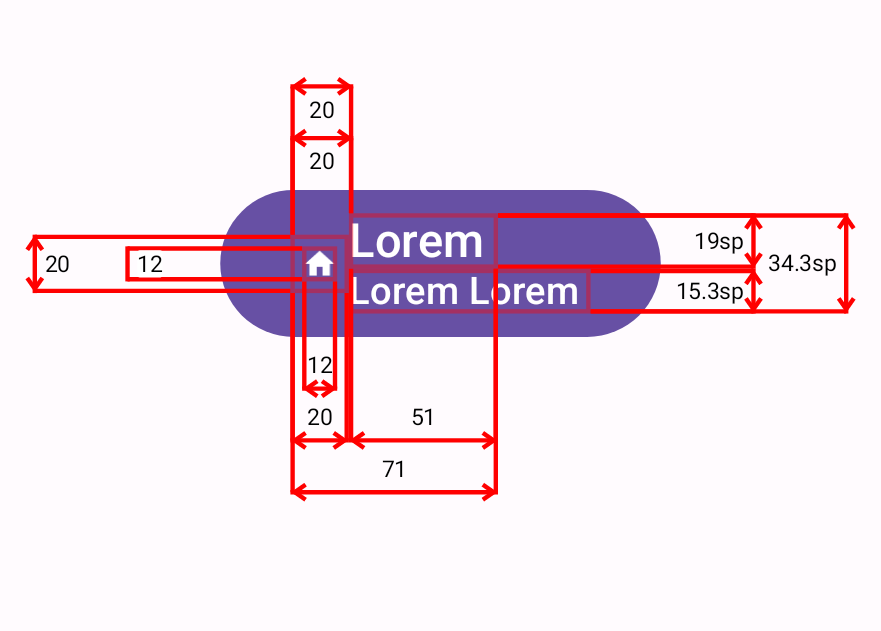
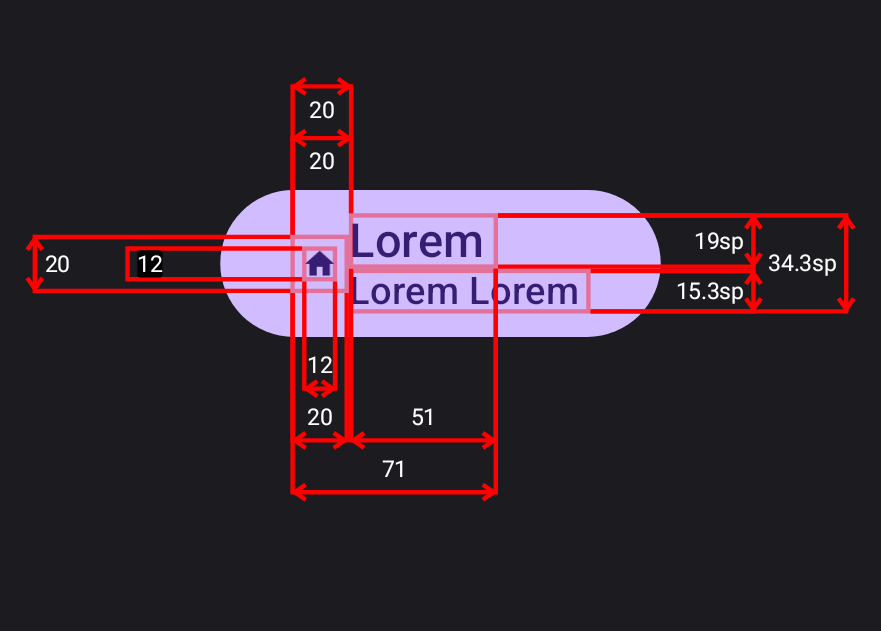
Correct arrow padding rendering animation
https://github.com/popovanton0/Blueprint/assets/15000556/7a90b534-3c7e-437a-8e08-1fdd4329c752
More examples
These are snapshots from snapshot testing:
 |
 |
 |
 |
 |
 |
 |
.png) |
 |
.png) |
 |
 |
 |
 |
 |
 |
 |
.png) |
 |
.png) |
Features
You can customize
- Line and border strokes (width and color)
- Font size and color
- Arrow style (length, angle, round or square cap)
- Decimal precision of the dimensional values
Of course, Blueprint works in Android Studio's Preview✨!
Also, you can disable all the overhead of this library in your release builds by either:
- Disabling blueprint rendering
usingblueprintEnabled
property. - Using the
no-opversion of the library:dependencies { debugImplementation("com.github.popovanton0.blueprint:blueprint:1.0.0-alpha05") releaseImplementation("com.github.popovanton0.blueprint:blueprint-no-op:1.0.0-alpha05") }
Getting Started
Groovy
Add the following code to your project's root build.gradle file:
repositories {
    maven { url "https://jitpack.io" }
}
Next, add the dependency below to your module's build.gradle file:
dependencies {
    implementation "com.github.popovanton0.blueprint:blueprint:1.0.0-alpha05"
}
Kotlin
Add the following code to your project's root settings.gradle.kts file:
dependencyResolutionManagement {
    // ...
    repositories {
        // ...
        maven { url = uri("https://jitpack.io") }
    }
}
Next, add the dependency below to your module's build.gradle.kts file:
dependencies {
    implementation("com.github.popovanton0.blueprint:blueprint:1.0.0-alpha05")
}
Or using Gradle Version Catalog:
[versions]
blueprint = "1.0.0-alpha05"

[libraries]
blueprint = { module = "com.github.popovanton0.blueprint:blueprint", version.ref = "blueprint" }
[!WARNING]
Do not use this dependency notation:com.github.popovanton0:blueprint:1.0.0-alpha05.
It doesn't work!
Licence
Copyright 2023 Anton Popov

Licensed under the Apache License, Version 2.0 (the "License");
you may not use this file except in compliance with the License.
You may obtain a copy of the License at

http://www.apache.org/licenses/LICENSE-2.0

Unless required by applicable law or agreed to in writing, software
distributed under the License is distributed on an "AS IS" BASIS,
WITHOUT WARRANTIES OR CONDITIONS OF ANY KIND, either express or implied.
See the License for the specific language governing permissions and
limitations under the License.
Similar Libraries
Compose Debug Drawer
A debug drawer for Compose!
lazytable
Lazy layout to display columns and rows of data on the two directional plane.
programguide
Lazy layout to display program guide data on the two directional plane.
minabox
Lazy box library for Jetpack Compose, which allows to display lazy loaded items on the 2D plane.
Browse by Category


