Compose Rich Editor
A Rich text editor library for both Jetpack Compose and Compose Multiplatform, fully customizable, supports HTML and Markdown.
View on GitHubDocumentation
Compose Rich Editor







A rich text editor library for both Jetpack Compose and Compose Multiplatform, fully customizable and supports the common rich text editor features
- Multiplatform: Compose Rich Editor supports Compose Multiplatform (Android, iOS, Desktop, Web).
- Easy to use: Compose Rich Editor's API leverages Kotlin's language features for simplicity and minimal boilerplate.
- WYSIWYG: Compose Rich Editor is a WYSIWYG editor that supports the most common text styling features.
- Undo / Redo: Built-in rich-text-aware undo/redo (
state.history) that respects formatting, overridingBasicTextField's default.

Screenshots
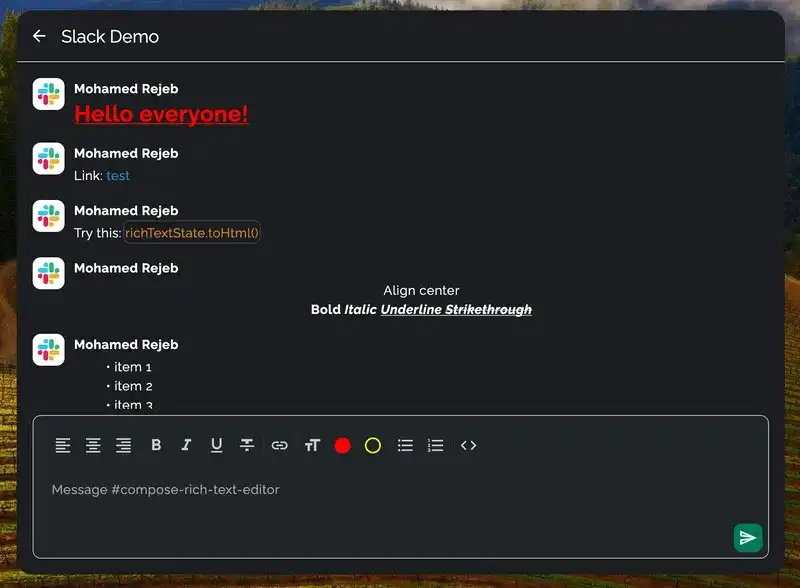
Slack Demo


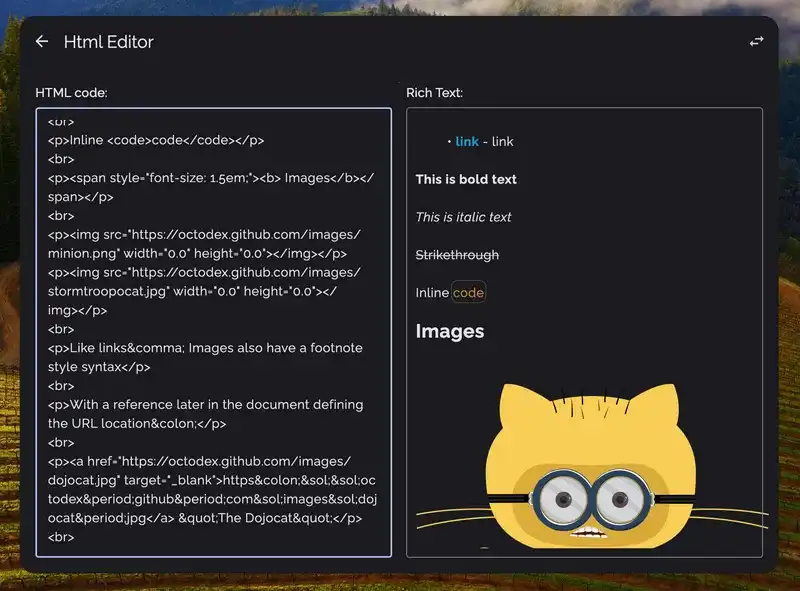
Html to Rich Text


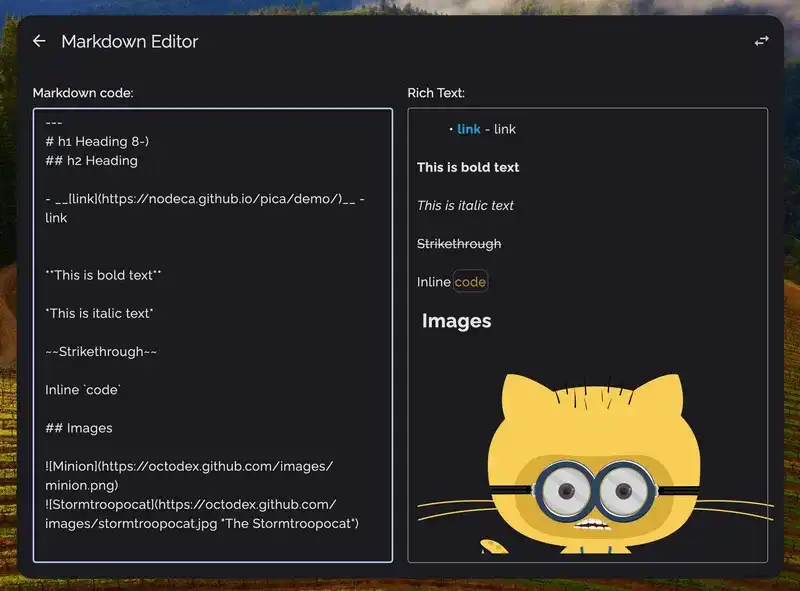
Markdown to Rich Text

Download
Compose Rich Editor is available on mavenCentral().
implementation("com.mohamedrejeb.richeditor:richeditor-compose:1.0.0-rc14")
Compatibility
| Kotlin version | Compose version | Compose Rich Editor version |
|---|---|---|
| 2.3.21 | 1.10.3 | 1.0.0-rc14 |
| 2.1.21 | 1.8.2 | 1.0.0-rc13 |
| 2.1.10 | 1.7.3 | 1.0.0-rc11 |
| 2.0.21 | 1.7.0 | 1.0.0-rc10 |
| 2.0.20 | 1.6.11 | 1.0.0-rc09 |
| 2.0.10 | 1.6.11 | 1.0.0-rc06 |
| 2.0.0 | 1.6.10 | 1.0.0-rc05-k2 |
| 1.9.24 | 1.6.10 | 1.0.0-rc05 |
Quick Start
RichTextState
Use RichTextEditor composable to create a rich text editor.
The RichTextEditor composable requires a RichTextState to manage the editor's state.
To create a RichTextState, use the rememberRichTextState function:
val state = rememberRichTextState()

RichTextEditor(
    state = state,
)
Styling Spans
To style spans, RichTextState provides toggleSpanStyle method:
// Toggle a span style.
richTextState.toggleSpanStyle(SpanStyle(fontWeight = FontWeight.Bold))
To get the current span style of the selection, use RichTextState.currentSpanStyle:
// Get the current span style.
val currentSpanStyle = richTextState.currentSpanStyle
val isBold = currentSpanStyle.fontWeight == FontWeight.Bold
Styling Paragraphs
To style paragraphs, RichTextState provides toggleParagraphStyle method:
// Toggle a paragraph style.
richTextState.toggleParagraphStyle(ParagraphStyle(textAlign = TextAlign.Center))
To get the current paragraph style of the selection, use RichTextState.currentParagraphStyle:
// Get the current paragraph style.
val currentParagraphStyle = richTextState.currentParagraphStyle
val isCentered = currentParagraphStyle.textAlign == TextAlign.Center
Add links
To add links, RichTextState provides addLink method:
// Add link after selection.
richTextState.addLink(
    text = "Compose Rich Editor",
    url = "https://github.com/MohamedRejeb/Compose-Rich-Editor"
)
To get if the current selection is a link, use RichTextState.isLink:
// Get if the current selection is a link.
val isLink = richTextState.isLink
By default, links will be opened by your platform's UriHandler, if however you want to
handle the links on your own, you can override the composition local as such:
val myUriHandler by remember {
    mutableStateOf(object : UriHandler {
        override fun openUri(uri: String) {
            // Handle the clicked link however you want
        }
    })
}
CompositionLocalProvider(LocalUriHandler provides myUriHandler) {
    RichText(
        state = richTextState,
        modifier = Modifier.fillMaxWidth()
    )
}
Add Code Blocks
To add code blocks, RichTextState provides toggleCodeSpan method:
// Toggle code span.
richTextState.toggleCodeSpan()
To get if the current selection is a code block, use RichTextState.isCodeSpan:
// Get if the current selection is a code span.
val isCodeSpan = richTextState.isCodeSpan
Ordered and Unordered Lists
You can add ordered and unordered lists using RichTextState:
// Toggle ordered list.
richTextState.toggleOrderedList()

// Toggle unordered list.
richTextState.toggleUnorderedList()
You can get if the current selection is an ordered or unordered list, using RichTextState:
// Get if the current selection is an ordered list.
val isOrderedList = richTextState.isOrderedList

// Get if the current selection is an unordered list.
val isUnorderedList = richTextState.isUnorderedList
Customizing the rich text configuration
Some of the rich text editor's features can be customized, such as the color of the links and the code blocks.
richTextState.config.linkColor = Color.Blue
richTextState.config.linkTextDecoration = TextDecoration.Underline
richTextState.config.codeSpanColor = Color.Yellow
richTextState.config.codeSpanBackgroundColor = Color.Transparent
richTextState.config.codeSpanStrokeColor = Color.LightGray
HTML import and export
To convert HTML to RichTextState, use RichTextState.setHtml method:
val html = "<p><b>Compose Rich Editor</b></p>"
richTextState.setHtml(html)
To insert HTML content at a specific position, use RichTextState.insertHtml method:
val html = "<b>inserted content</b>"
richTextState.insertHtml(html, position = 5)
To convert RichTextState to HTML, use RichTextState.toHtml method:
val html = richTextState.toHtml()
Markdown import and export
To convert Markdown to RichTextState, use RichTextState.setMarkdown method:
val markdown = "**Compose** *Rich* Editor"
richTextState.setMarkdown(markdown)
To insert Markdown content at a specific position, use RichTextState.insertMarkdown method:
val markdown = "**inserted** *content*"
richTextState.insertMarkdown(markdown, position = 5)
To convert RichTextState to Markdown, use RichTextState.toMarkdown method:
val markdown = richTextState.toMarkdown()
Check out Compose Rich Editor's full documentation for more details.
Mentions, Hashtags, Slash Commands (Triggers)
Experimental - gated by
@ExperimentalRichTextApi.
A generic trigger system lets you add @mentions, #hashtags, /commands or any
single-character trigger. A trigger activates a query mode; when the user selects a
suggestion, an atomic Token span is inserted. Tokens are deleted, selected, and
skipped as a single unit, and they round-trip through both HTML and Markdown.
Register triggers on the state and observe activeTriggerQuery:
import com.mohamedrejeb.richeditor.model.trigger.Trigger
import com.mohamedrejeb.richeditor.ui.material3.TriggerSuggestions

val state = rememberRichTextState()

LaunchedEffect(Unit) {
    state.registerTrigger(Trigger(id = "mention", char = '@'))
    state.registerTrigger(Trigger(id = "hashtag", char = '#'))
}

Box {
    RichTextEditor(state = state)

    // Drop in the built-in popup, or roll your own using state.activeTriggerQuery.
    TriggerSuggestions(
        state = state,
        triggerId = "mention",
        suggestions = { query -> users.filter { it.handle.contains(query) } },
        onSelect = { user ->
            RichSpanStyle.Token(
                triggerId = "mention",
                id = user.id,
                label = "@${user.handle}",
            )
        },
        item = { user -> Text(user.handle) },
    )
}
Tokens serialize as <span data-trigger="mention" data-id="u123">@mohamed</span> in HTML
and [@mohamed](trigger:mention:u123) in Markdown, so content round-trips even in viewers
that don't know about triggers.
Web live demo
You can try out the web demo here.
Contribution
If you've found an error in this sample, please file an issue.
Feel free to help out by sending a pull request :heart:.
Find this library useful? :heart:
Support it by joining stargazers for this repository. :star:
Also, follow me on GitHub for more libraries! 🤩

License
Copyright 2023 Mohamed Rejeb

Licensed under the Apache License, Version 2.0 (the "License");
you may not use this file except in compliance with the License.
You may obtain a copy of the License at

   http://www.apache.org/licenses/LICENSE-2.0

Unless required by applicable law or agreed to in writing, software
distributed under the License is distributed on an "AS IS" BASIS,
WITHOUT WARRANTIES OR CONDITIONS OF ANY KIND, either express or implied.
See the License for the specific language governing permissions and
limitations under the License.
Related Questions
Similar Libraries
Compose Icons
Compose icons is a pack of libraries that provide well known Icon Packs to use in Jetpack Compose Multiplatform.
bonsai
:deciduous_tree: A multiplatform tree view for Jetpack Compose
rebugger
A simple Compose Multiplatform library designed to print the reason for recomposition in your console/Logcat window."
Circuit
⚡️ A Compose-driven architecture for Kotlin and Android applications.
Browse by Category


